2025-06-10
•Shane Haggerty
Best AI PowerPoint Generator for Template Preservation
Why LLeMental is the best AI presentation tool that works with your existing files
The Problem with Most AI PowerPoint Generators
When searching for the best AI PowerPoint generator, businesses face an unexpected challenge: rebuilding their entire template library from scratch. After investing thousands in professionally designed PowerPoint templates, most AI presentation tools force you to start over in their proprietary systems.
This “template tax” isn’t just an inconvenience—it’s a significant barrier that delays implementation for months and adds substantial hidden costs to what should be a time-saving solution.
This challenge is why comprehensive AI PowerPoint automation with template preservation has become essential for businesses seeking efficiency without abandoning their presentation investments.
LLeMental: The Best AI PowerPoint Generator for Template Preservation
LLeMental takes a fundamentally different approach to PowerPoint automation. Instead of forcing you to rebuild templates in a new system, our technology works with your existing PowerPoint files to add AI capability.
This “Use Your Own Files” approach offers several critical advantages over other AI PowerPoint generators:
1. Perfect Brand Consistency
Your templates already contain carefully crafted design elements:
- Precise color schemes that match your brand guidelines
- Custom fonts that align with your visual identity
- Specific layouts optimized for your content needs
- Pre-approved imagery and graphic styles
LLeMental preserves all these elements while generating content within your template. This ensures every presentation maintains your established brand standards without exception.
2. No Migration Headaches
Unlike other AI PowerPoint generators that require rebuilding templates from scratch, LLeMental eliminates:
- The need to recreate complex slide designs
- Template validation and approval processes
- Retraining team members on new systems
- The risk of formatting inconsistencies
Upload your template, provide source documents, and generate new presentations immediately.
How LLeMental’s AI PowerPoint Generation Works
LLeMental works directly within your template, generating content while preserving all formatting, branding, and layout.
The System
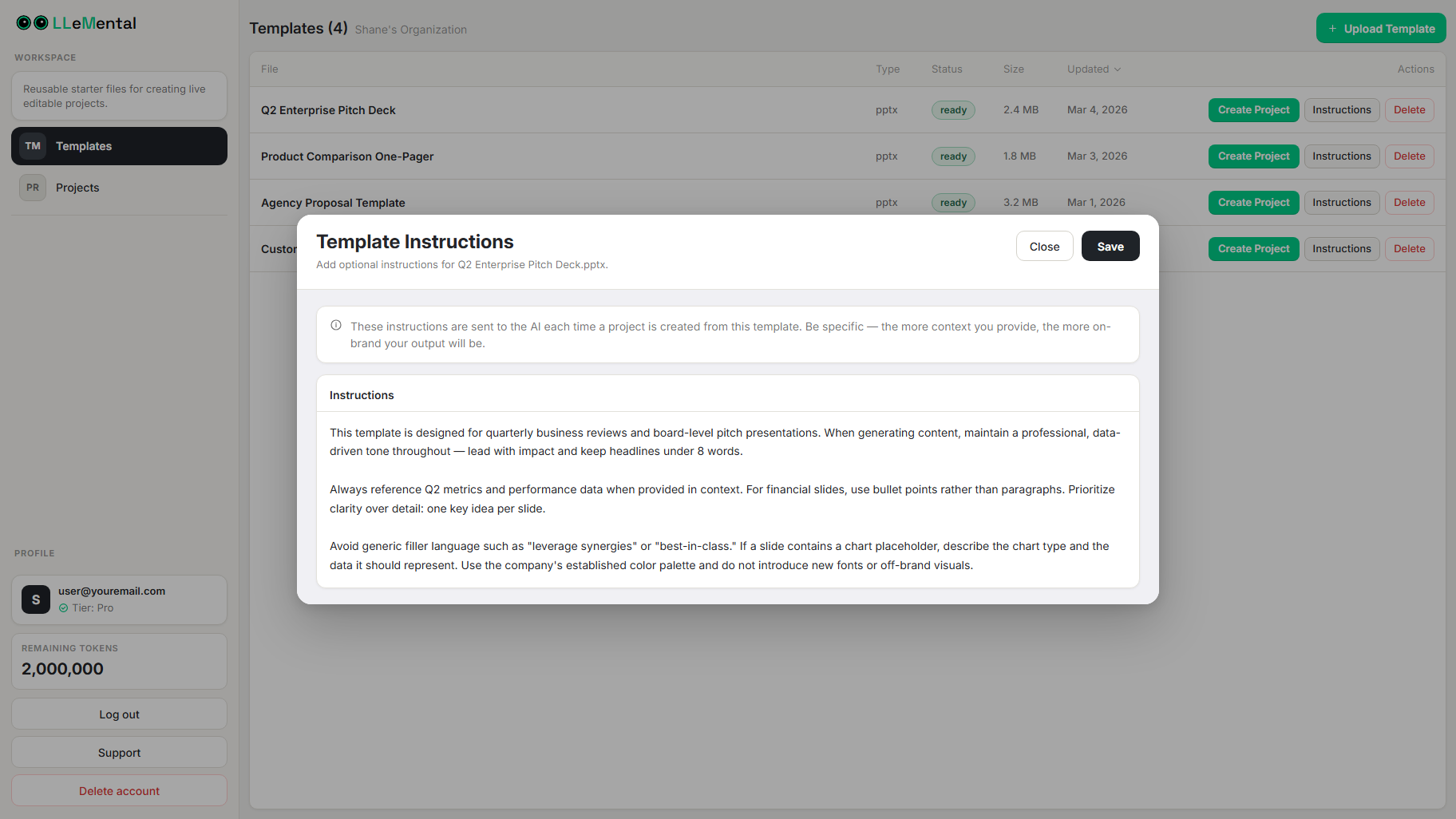
You can optionally add instructions to guide how content is generated across your presentation. No manual prompt writing or pointing-and-clicking required:
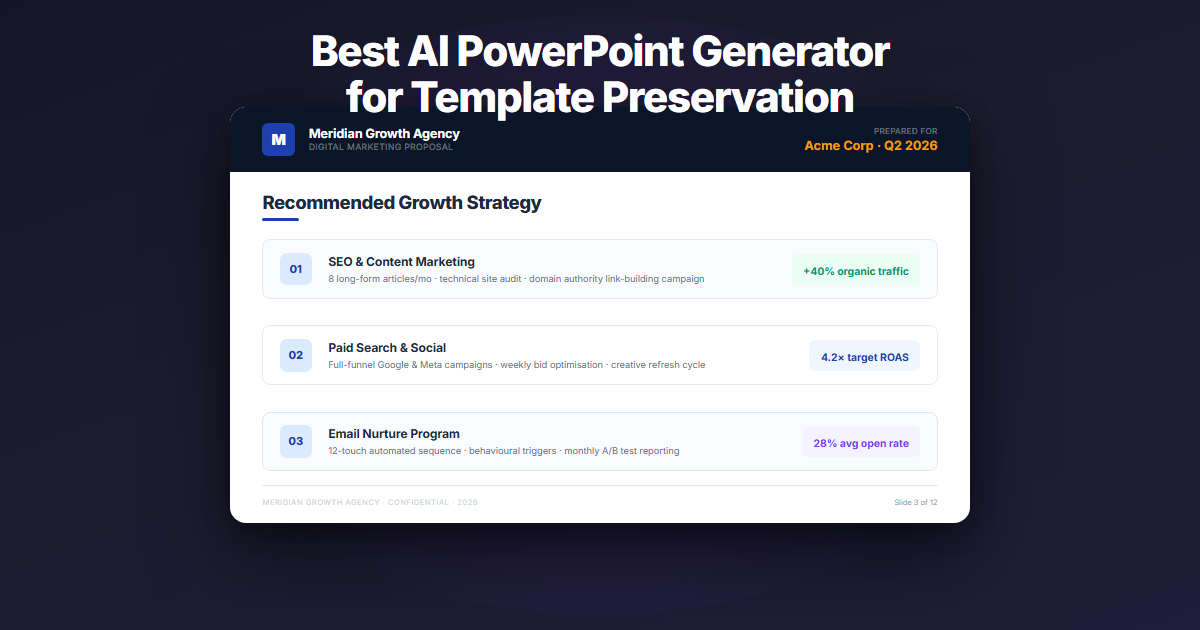
For example, on a client proposal slide:
- Static elements (preserved automatically): Your logo, footer, slide structure
- Dynamic elements (AI-generated from your source docs): Client name, analysis, solution
No markup or configuration needed — LLeMental generates content while preserving your template structure, leaving all formatting and design elements untouched.
When generating a new presentation, LLeMental generates content while preserving your template structure, leaving all formatting and design elements untouched.
Templates can be reused immediately for future presentations.
Beyond Simple Placeholders
LLeMental goes beyond basic text replacement. You can provide instructions to guide tone, structure, and content across your presentation, such as:
- Maximum word count
- Content format (bullet points, paragraphs, etc.)
- Tone and style guidelines
- Reference sources to prioritize
This ensures that even AI-generated content maintains a consistent structure that works with your template design.
How LLeMental Compares to Other AI PowerPoint Generators
| Feature | LLeMental | Typical AI PowerPoint Generators |
|---|---|---|
| Works with existing PowerPoint files | ✅ Yes | ❌ No (requires rebuilding) |
| Preserves all formatting and branding | ✅ Yes | ❌ No (uses their templates) |
| Template structure automatically preserved | ✅ Yes | ❌ No (modifies entire slides) |
| Training required | ✅ Minimal | ❌ Extensive |
| Implementation time | ✅ Hours | ❌ Weeks |
| Multiple document analysis | ✅ Yes | ⚠️ Limited |
Real-World Success with LLeMental’s PowerPoint Automation
A marketing agency client recently shared their experience with LLeMental’s PowerPoint generator capabilities:
The company had been using their own carefully developed PowerPoint templates for years (with the occasional update to stay on top of trends and design standards). Why should they throw all of that away for some new system? Their existing slides had worked very successfully for years, including their branding, section requirements and preferred presentation flow. Other “do it all” AI tools on the market completely re-created a slide deck from scratch, missing tons of valuable information from their templates.
With LLeMental, they uploaded their existing files and generated new client proposals the same day, with perfect formatting every time.
The result? Their team now creates consistent, branded proposals in minutes instead of hours, while maintaining the premium design quality their clients expect.
Beyond Brand Consistency: The Full Impact of LLeMental’s PowerPoint Automation
The benefits of LLeMental’s approach to AI PowerPoint generation extend beyond maintaining your visual identity:
Faster Implementation
Without the need to rebuild templates, teams can implement LLeMental in hours rather than weeks or months. This accelerates time-to-value and reduces change management challenges.
Lower Training Requirements
Since team members continue working with familiar PowerPoint files, training focuses solely on the AI automation aspects rather than learning an entirely new presentation system. Using instructions to guide the AI is as easy as describing what you want.
Seamless Workflow Integration
LLeMental integrates smoothly into existing processes because it enhances rather than replaces your current presentation workflow. Templates can be continuously refined and updated as your brand evolves.
Getting Started with LLeMental’s AI PowerPoint Generator
Ready to see how LLeMental can preserve your PowerPoint templates while automating content creation? The process is simple:
- Upload Your Template - Use any existing PowerPoint (.pptx) file — no rebuilding required
- (Optional) Add Instructions - Guide how content is generated across your presentation
- Provide Source Documents - Upload meeting notes, PDFs, and research docs
- Generate & Refine - Create your first automated presentation and adjust as needed
For detailed configuration guidance, our comprehensive PowerPoint template automation tutorial walks through every step of preserving your existing presentations while adding AI capabilities.
Experience the Best AI PowerPoint Generator for Your Brand
LLeMental’s template preservation approach finally solves the dilemma between maintaining brand consistency and achieving presentation automation. By working with your existing PowerPoint files, we eliminate the “template tax” while delivering all the time-saving benefits of AI-powered content generation. For a detailed comparison of how different tools handle template preservation versus forced migration, see our guide to the best AI for PowerPoint presentations.
Ready to try the best AI PowerPoint generator that works with your existing templates? Schedule a Demo with the LLeMental team today.